Surbhi Mahnot
Downloaded by 1,647+ readers Template
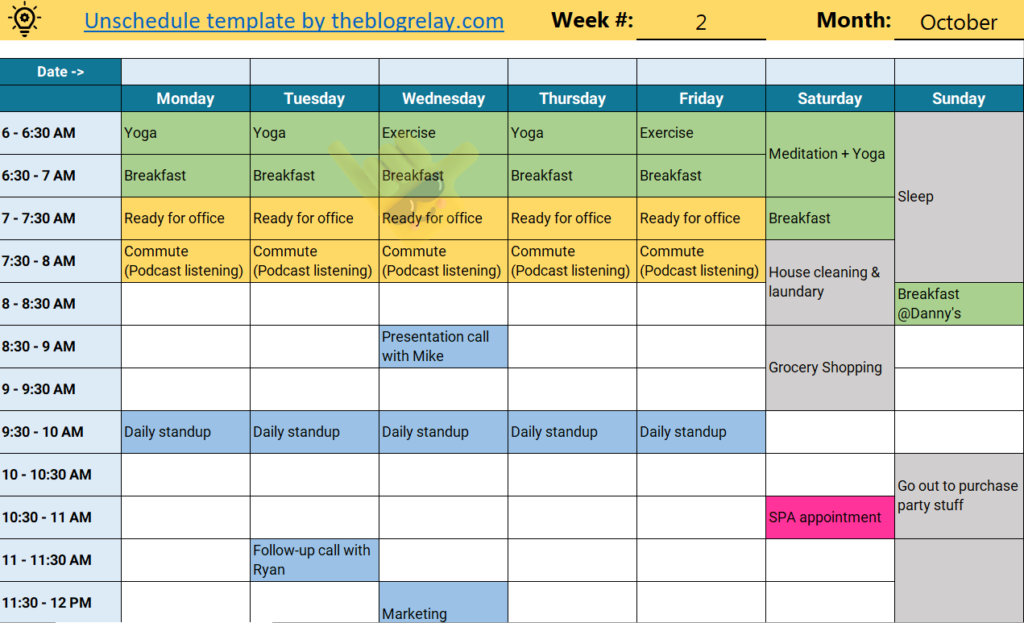
The Unschedule technique is an unconventional way to minimize procrastination & manage time. Dr. Neil Fiore details it in his top-rated book ‘The Now Habit.’ This Unschedule template helps you practice the technique to beat procrastination & learn time management efficiently and smartly.
Why Practice This Technique?
Manage time for both work & non-work-related activities
No guilt of procrastinating work
Improve focus on the task on hand because of fewer distractions
What You’ll Download?
Your zip package consists of the following files:
MS Excel template. You can create as many copies as you want & keep the template intact
Google sheets template. Create your own sheets from this template
PDF version for all who want to print & hang it right in front!
A sample MS excel sheet to show you how to get started
Template Details
Software: MS Excel, Google Sheets
Version: v1.0
Language: English
Licensing: This template is meant for educational purposes only. DO NOT sell/modify/re-distribute for any commercial or other purposes.
Additional Resources
Read this blog post to learn how to use the Unschedule template to beat procrastination & understand this technique in detail.
"Simple, practical, and surprisingly insightful. I could immediately see my default conflict style and where I needed to adapt."
Alekha S
Professional
"Seeing my options side by side made the decision much less emotional and far more practical."
Jordan
HR Head
Questions
Make a copy (Google Sheets/Trello) or download the file (Excel), replace the sample content with your own, and start filling it in. No special setup is required.
Yes. You can change the text, categories, colors, and layout to fit your needs. Avoid editing formulas as they can break the entire flow.
Yes. Each template lists the software it's designed to work with.
No. The template doesn't collect, store, or share your data. Everything stays in your own files or workspace.
No. Personal use only unless otherwise stated. You may not share, redistribute, resell, or distribute modified versions without permission.
Surbhi Mahnot
Founder, TheBlogRelay
Surbhi Mahnot is a champion of personal growth and career success, helping individuals master soft skills like emotional intelligence, leadership, and productivity. As the creator of TheBlogRelay, she offers actionable insights and tools to empower readers to excel in their careers and lead fulfilling lives.